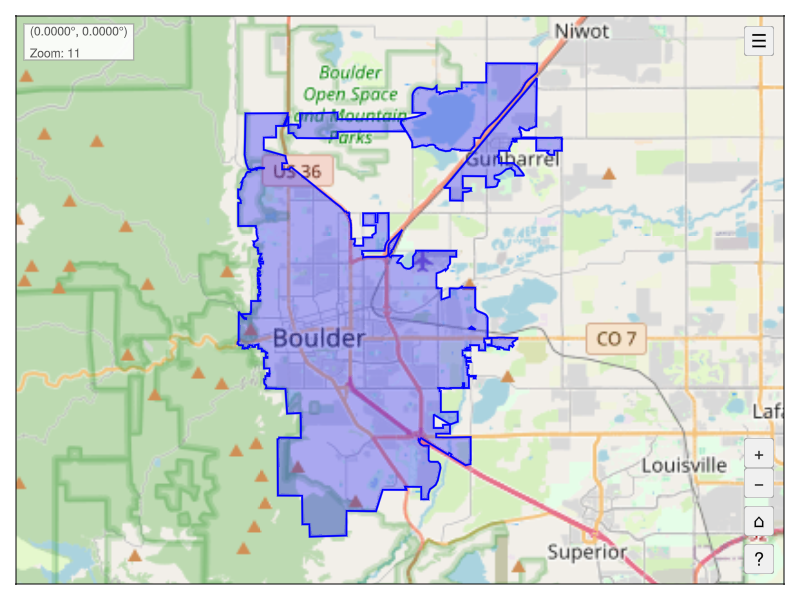
using GLMakie, GeoExplorer, OSMGeocoder
# Launch the map viewer with default settings
explore()
# Explore a geometry
fc = geocode(city="Boulder", state="CO") # GeoJSON.FeatureCollection
fig = Figure(size=(800, 600))
app = explore(fc, figure=fig)
wait(app.map) # wait for tiles to load
save("boulder_map.png", fig)GeoExplorer.jl
Interactive Geospatial Exploration in Julia
Interactive geospatial exploration in Julia
Overview
GeoExplorer.jl is an interactive geospatial exploration tool built on top of Tyler.jl and GLMakie.jl. It provides an ArcGIS-like experience for exploring maps and geospatial data in Julia.
Features
- Interactive Map Exploration: Pan, zoom, and navigate tile-based maps
- Multiple Tile Providers: OpenStreetMap, Esri, CartoDB, and more
- Geometry Plotting: Plot any GeoInterface-compatible geometry (Points, LineStrings, Polygons, etc.)
- Layer Management: Add, remove, toggle visibility, and zoom to layers
- Keyboard Navigation: Arrow keys to pan, +/- to zoom, Home to reset
- Real-time Cursor Position: Display lat/lon coordinates as you move the mouse
- Customizable UI: Navigation buttons with layers panel and help overlay
Quick Start
using Pkg
Pkg.add("GeoExplorer")